
vizrm release - June 2026
Org charts now live inside your CRM - directly on the record, without switching tabs.
This release is about removing friction from where it hurts most - the moment a rep opens an account in the CRM and wants to understand the org without leaving the page. Starting today, your org charts live directly inside Pipedrive and HubSpot. No tab-switching, no separate tool to open.
Org chart panel on Pipedrive Organization records
The vizrm panel now appears automatically in the left sidebar of every Pipedrive Organization record. No setup needed — if vizrm is connected, the panel is there.
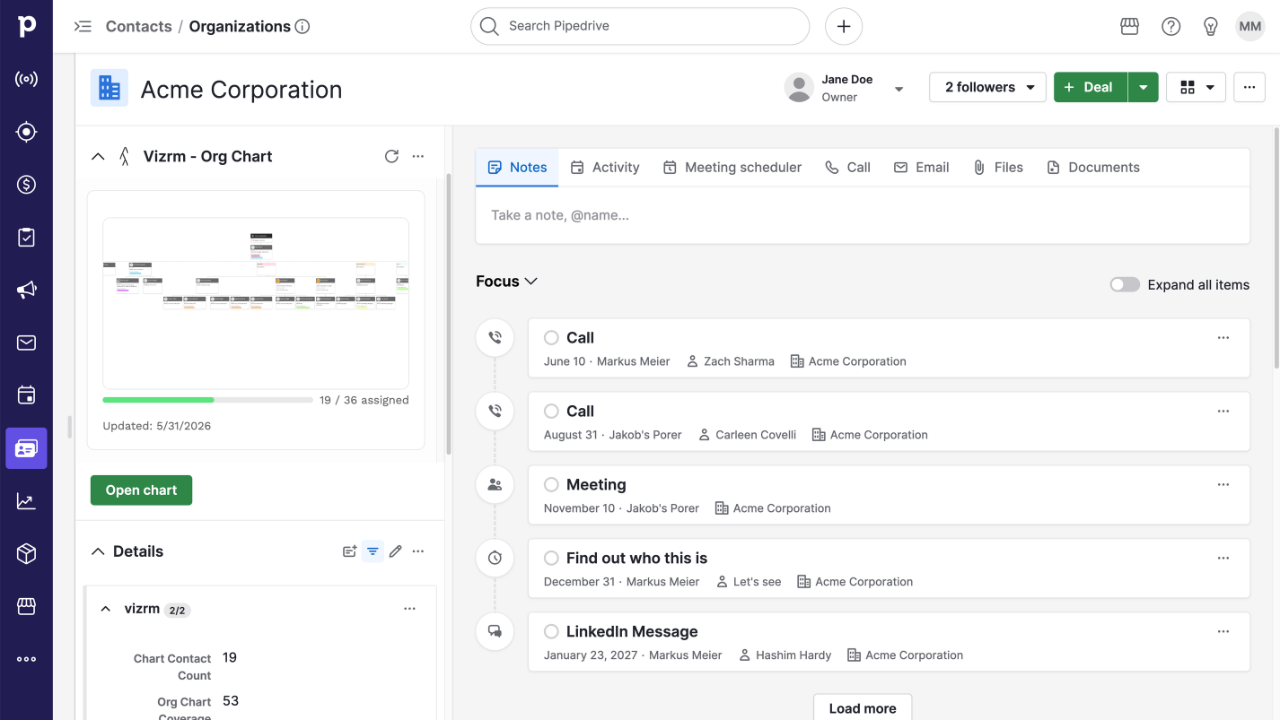
At a glance, it shows you a thumbnail of the org chart, how many contacts from this organization have been placed on it, the current coverage percentage, and when it was last updated.
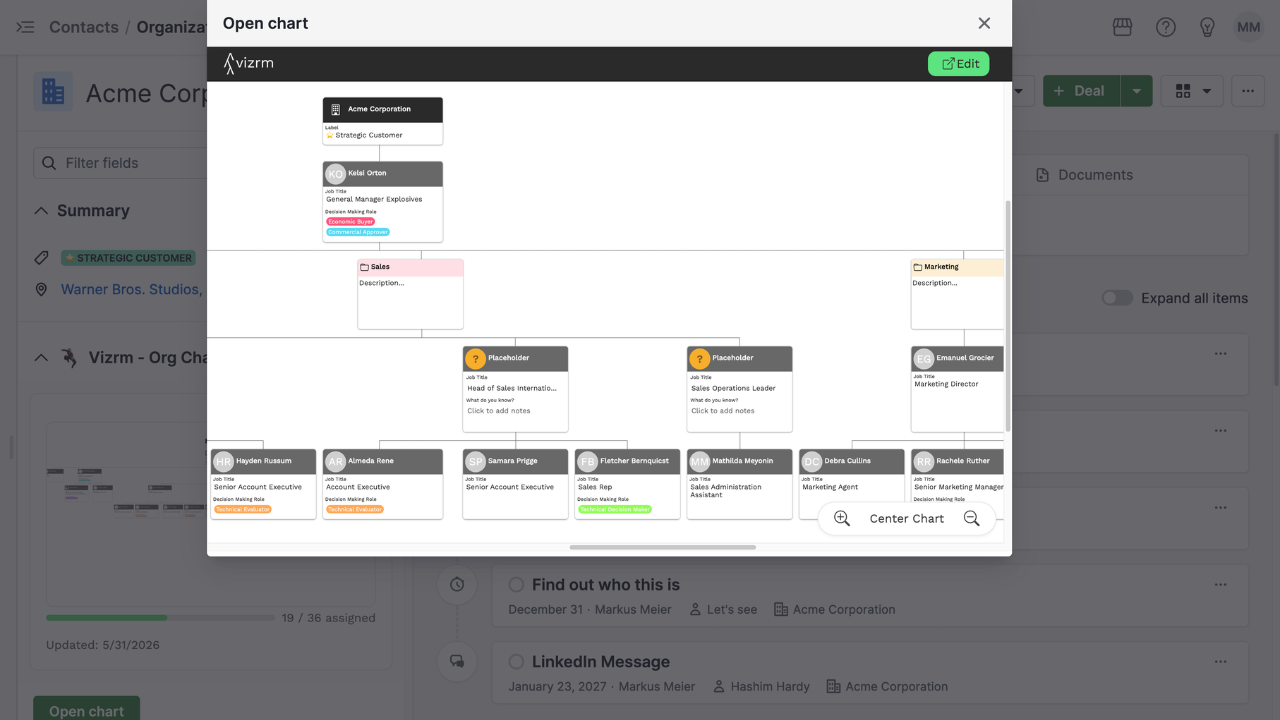
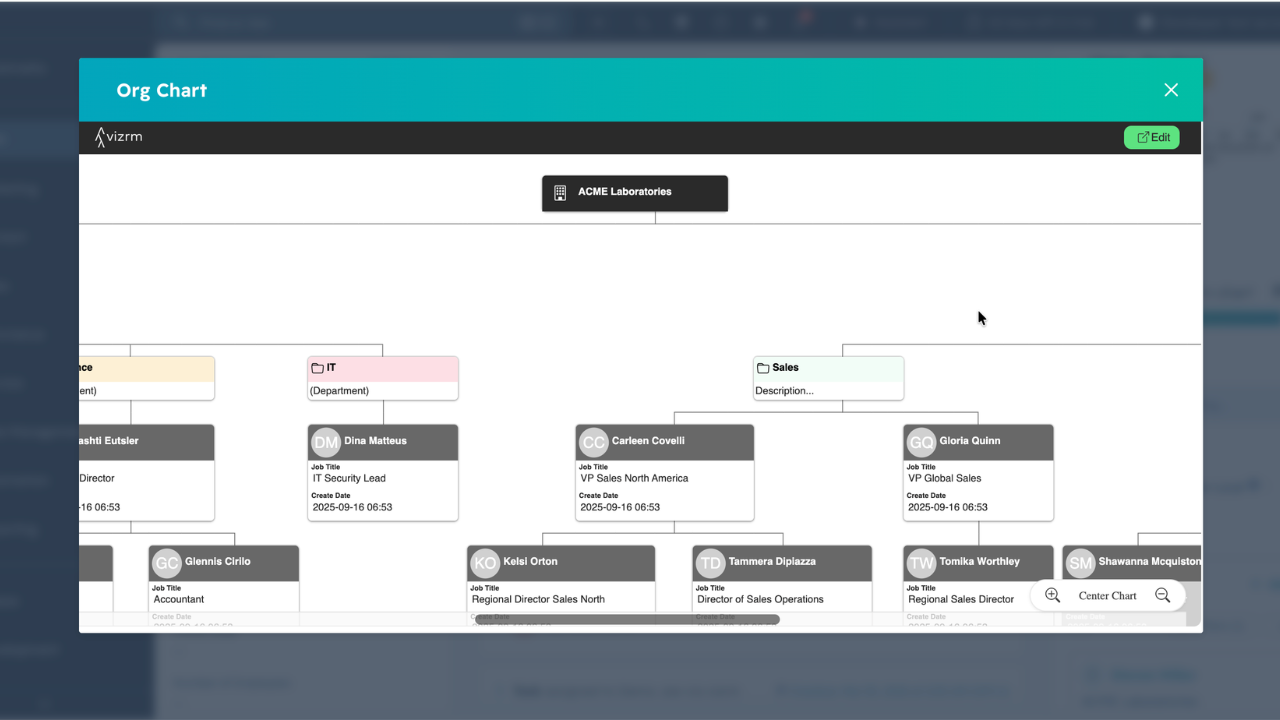
From the panel, you can click Open chart to launch the full chart as a viewer modal — right inside Pipedrive. Zoom, pan, review the full structure without going anywhere. When you're ready to make changes, hit Edit and vizrm opens in a new tab.
Tip: move the vizrm panel to the top of the sidebar for the fastest access — you can drag panels to reorder them in your Pipedrive settings.
Org chart card on HubSpot Company records
HubSpot users get the same capability through the native card system. A HubSpot admin adds the vizrm card to the Company record layout once — after that, it's visible to the whole team in the right sidebar.
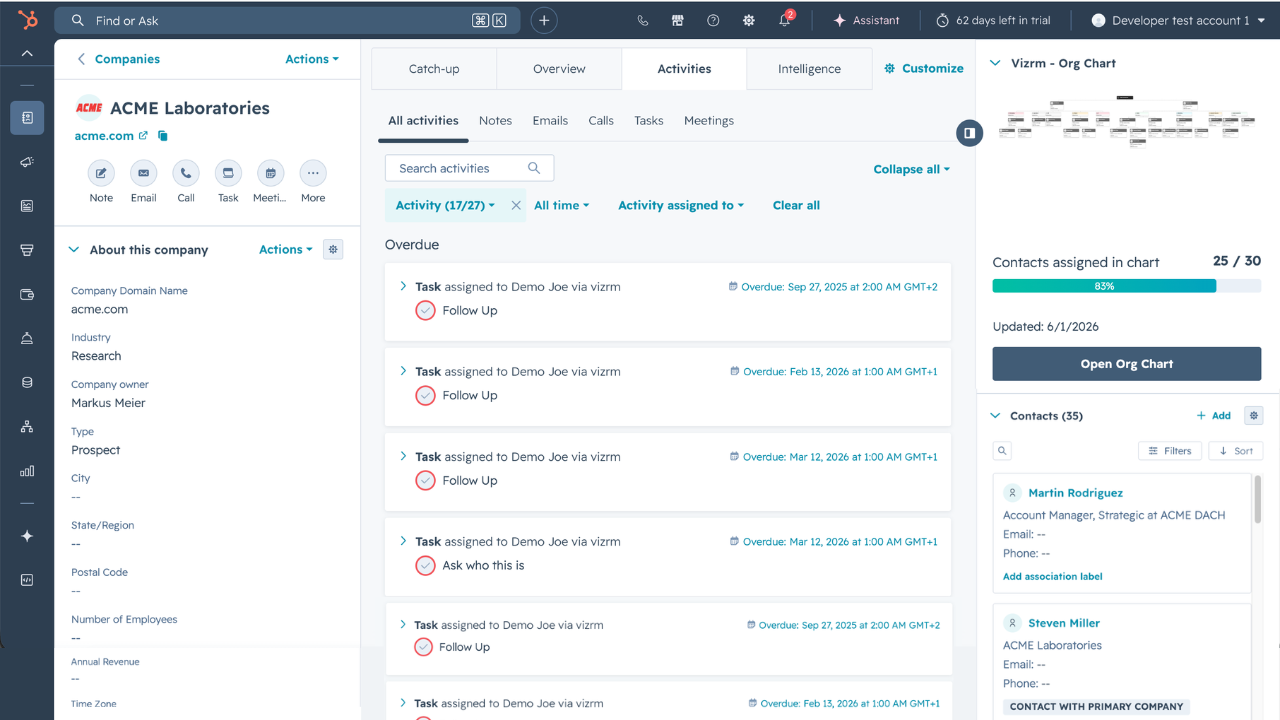
The card shows the same information: org chart thumbnail, contact count, coverage percentage, and last updated date. Click to open the full viewer modal inside HubSpot, and edit in vizrm when you need to make changes.
Sync org chart KPIs back to your CRM
This one is for the ops-minded folks on your team. vizrm can now write two calculated values directly into custom fields on your CRM records — automatically, whenever the org chart changes:
Contacts in chart — the number of contacts placed on the org chart for this account.
Chart completion % — what percentage of total associated contacts have been mapped.
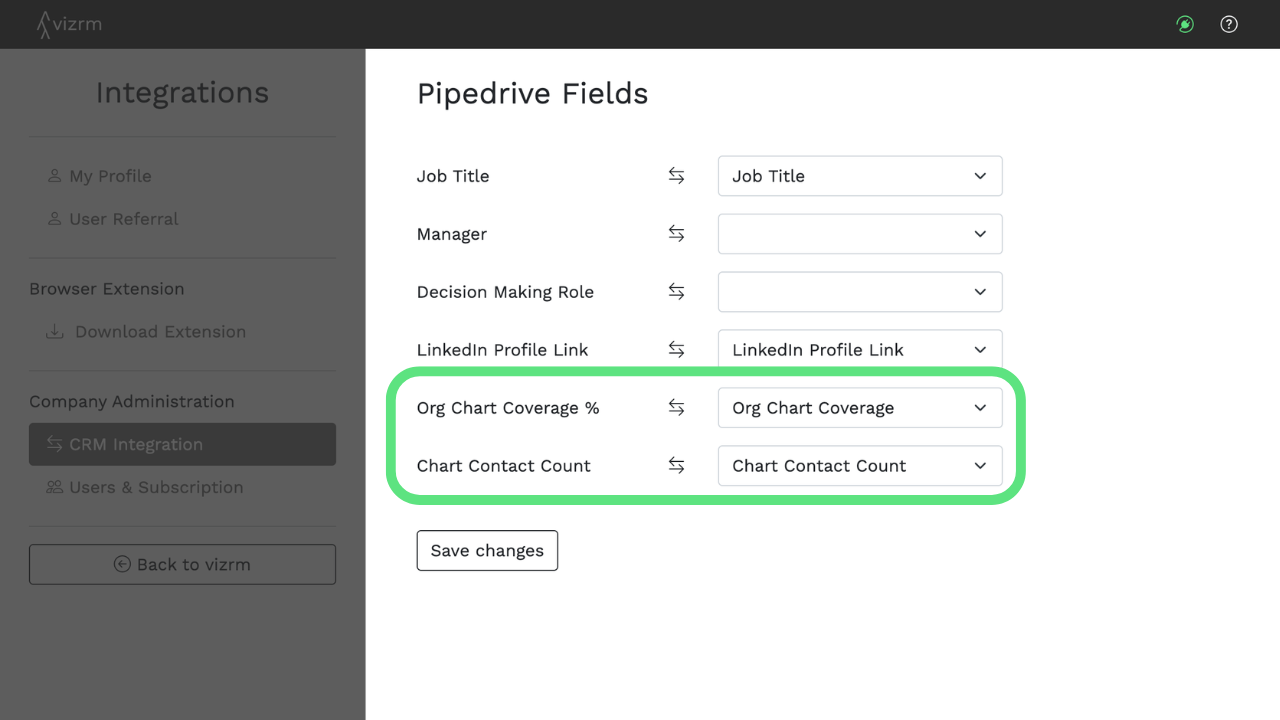
You create two number fields in your CRM and name them however you like. vizrm admins then map those fields in settings, and the sync runs automatically from there on.
Once the data is in your CRM, you can use it like any other field — filter views to find accounts with low coverage, build dashboards to track org chart progress across your entire book, or use completion % as a signal in deal reviews and QBRs. Your strategic account management data, right in the tool your team already uses for reporting.
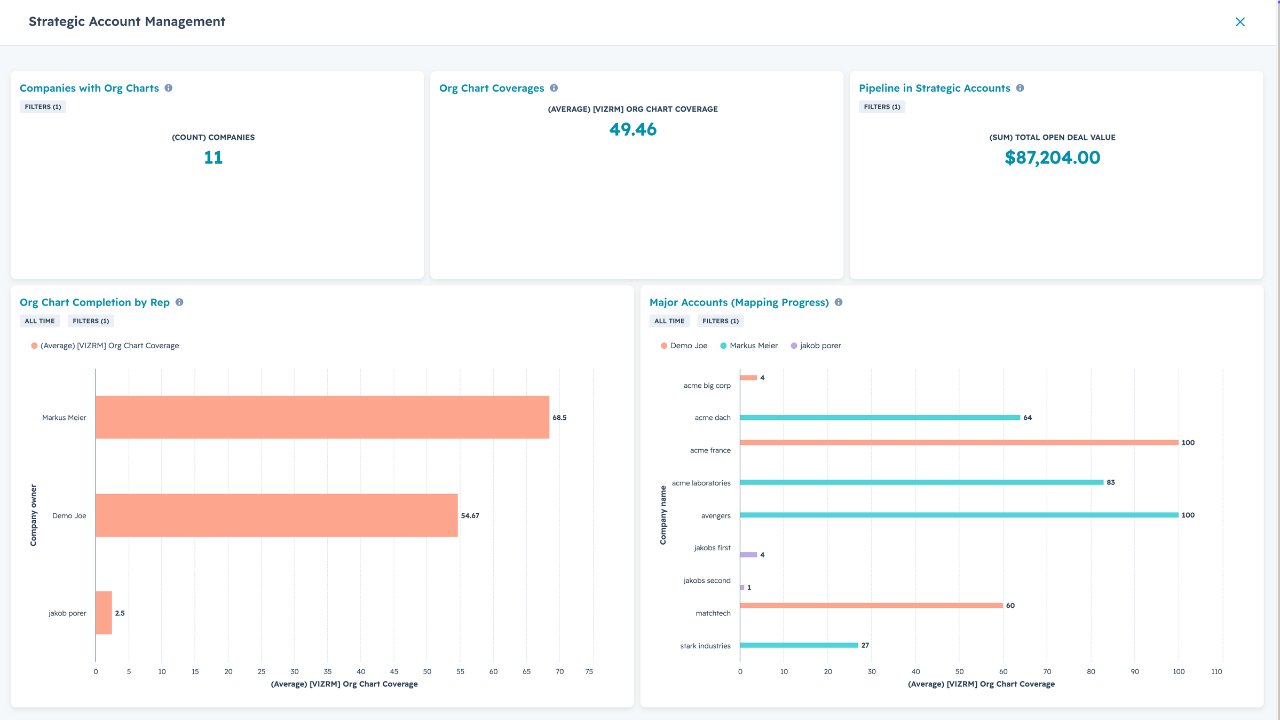
HubSpot Dashboard
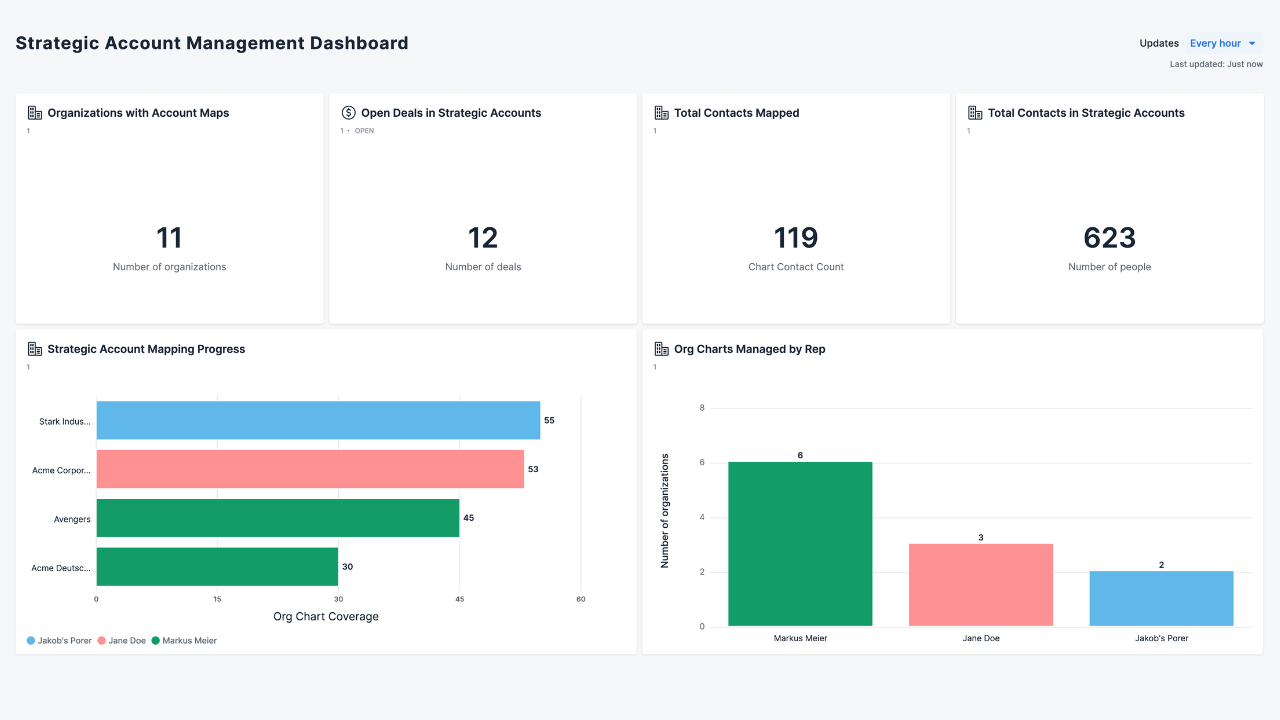
Pipedrive Dashboard
KPI field sync is an admin-only setup. See the help center guide to get started.
As always, feedback drives what we prioritize. If you have thoughts on this release or what you want to see next, reach out to us via the in-app chat.