
vizrm release — April 2026: Global Search, Activity History, Help Center
Three features to reduce friction: global CRM contact search, full activity history in the sidebar, and an in-app help center — all live today.

Three features. One goal: less time fighting your tools, more time working your accounts.
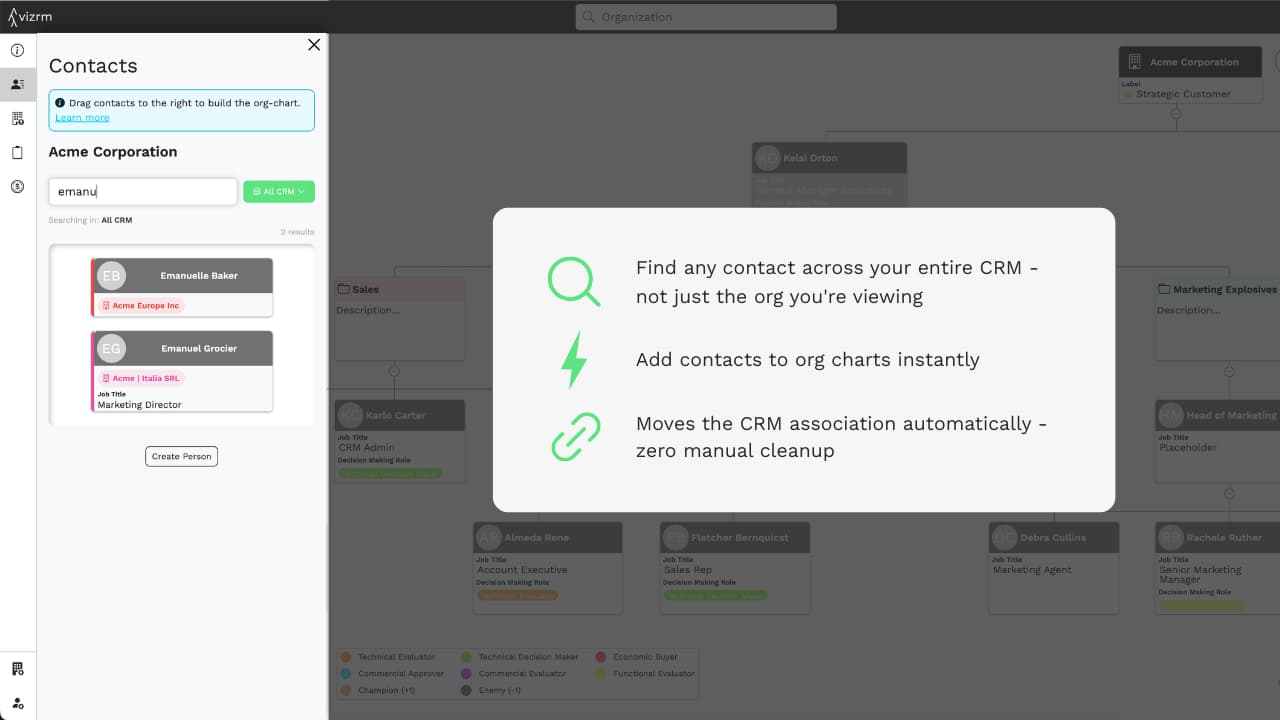
Search Contacts Across Your Entire CRM
The problem it solved: When working an account in vizrm, the sidebar showed contacts associated with that organization. But enterprise CRMs are messy — contacts get associated to the wrong company, or they're at a parent entity while you're viewing a subsidiary. If a contact wasn't linked to the account being viewed, it couldn't be used.
What's new: Users can now toggle the contact search to scan the entire CRM, not just the current organization. Search by name, find the right person across all accounts, and drag them directly onto the org chart. vizrm automatically updates the HubSpot association, with no manual cleanup required.
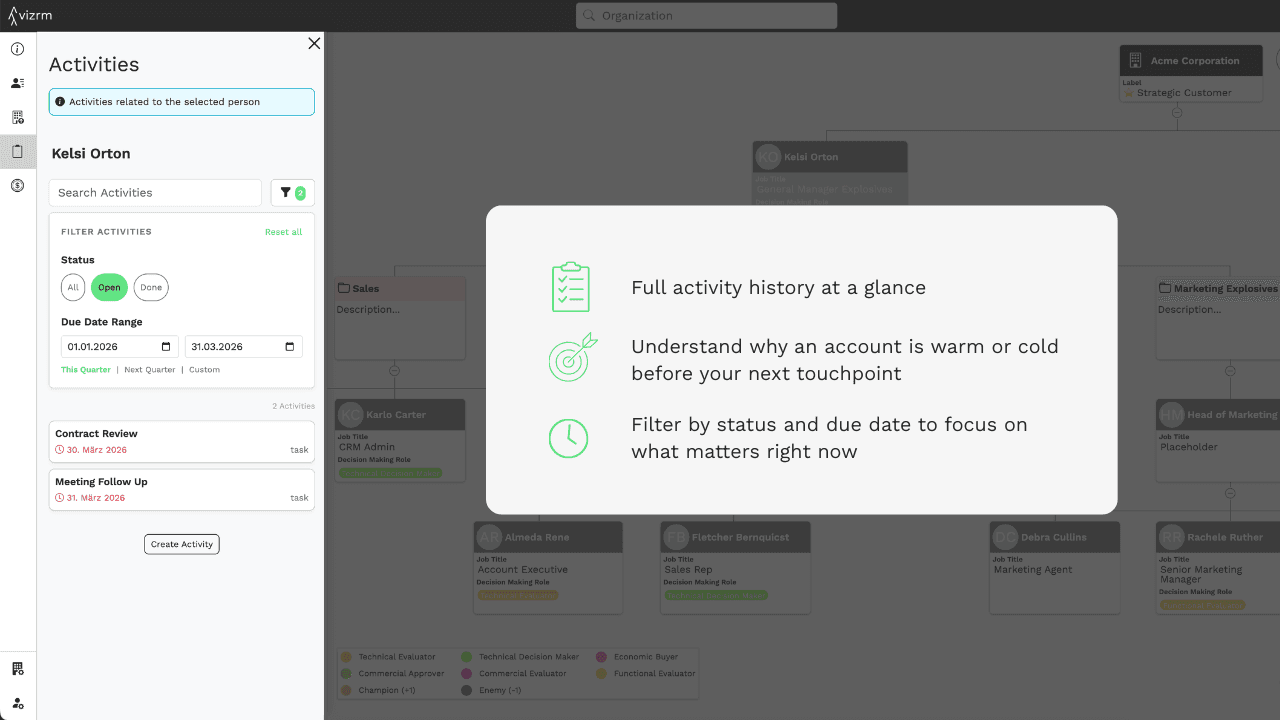
Activities History in the Sidebar
The problem it solved: The activities panel previously only showed open tasks. That's useful for knowing what's next — but it tells you nothing about what's already happened. Before a call, reps were switching to HubSpot's timeline to piece together account history.
What's new: The activities view now includes both open and completed activities. Filter by status (open/done) and due date. Get the full picture of every touchpoint with every contact in the account — without leaving the vizrm sidebar.
Why it matters: Context is everything in enterprise sales. Knowing that a contact was reached three weeks ago, had a demo last month, and has a pending follow-up this week changes how you show up in a conversation. That context is now one click away.
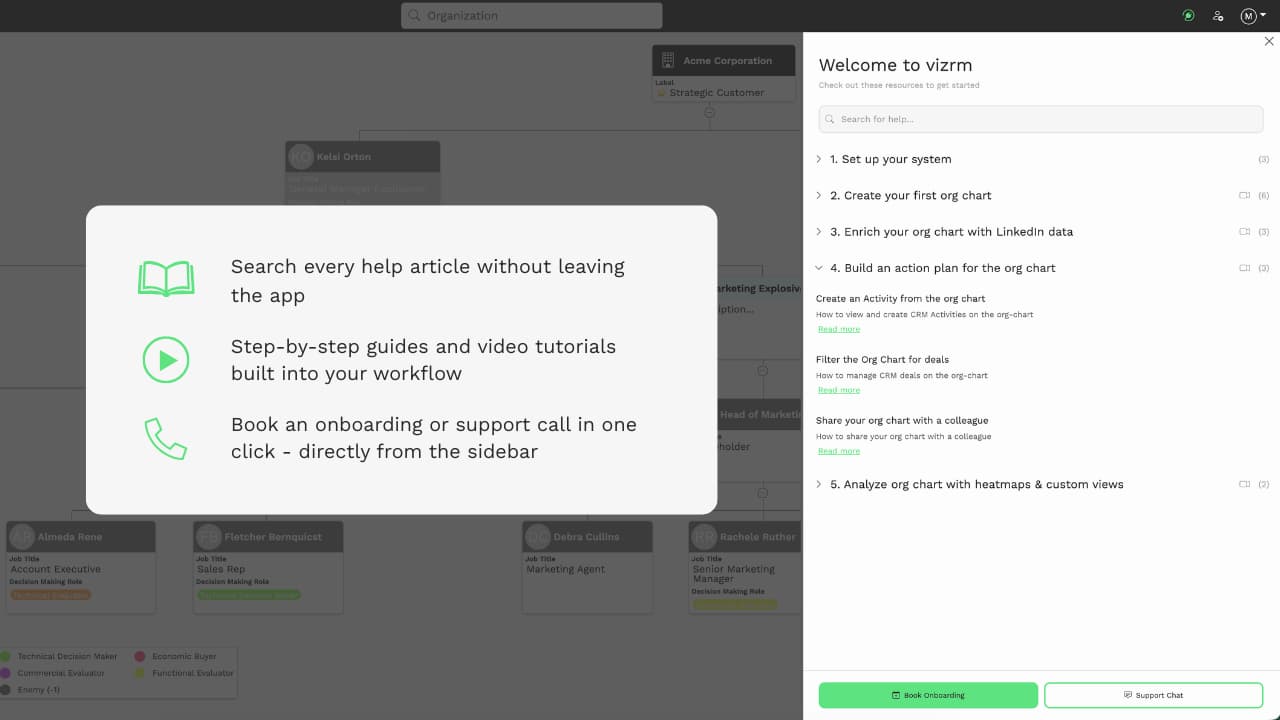
In-App Help Center
The problem it solved: New users and experienced ones exploring features they haven't used yet had to leave the app to find answers. That friction slows adoption.
What's new: A fully searchable help center is now built directly into vizrm. Search any topic and get matching articles instantly. Browse step-by-step guided walkthroughs for key workflows. Watch short tutorial videos for a quick visual orientation. Book an onboarding or support call directly from the sidebar — no external links, no tab-switching.
Why it matters: The faster a rep can answer their own question, the faster they build a habit. An in-app help center removes the moment of friction where someone gives up on learning a new workflow and falls back to their old way of working.
As always, feedback drives what we prioritize. If you have thoughts on this release or what you want to see next, reach out to us via the in-app chat.
Try the latest updates in your own account.