
Your org chart, drafted in one click
vizrm now drafts the org chart for you - automatically based on seniority and department. Plus: FullEnrich joins our waterfall enrichment provider list.

The slowest part of account mapping isn't the thinking. It's the dragging. You open an empty chart, you have a list of eleven contacts from your CRM, and you place them one by one: the CRO at the top, the VP Marketing under them, the Head of Sales somewhere below. Most of what you need to know is already written in the job titles. You're just copying it onto a canvas.
In July we wrote about where AI takes vizrm, and promised that the first thing you'd see was help building the chart. This is it.
Draft with AI
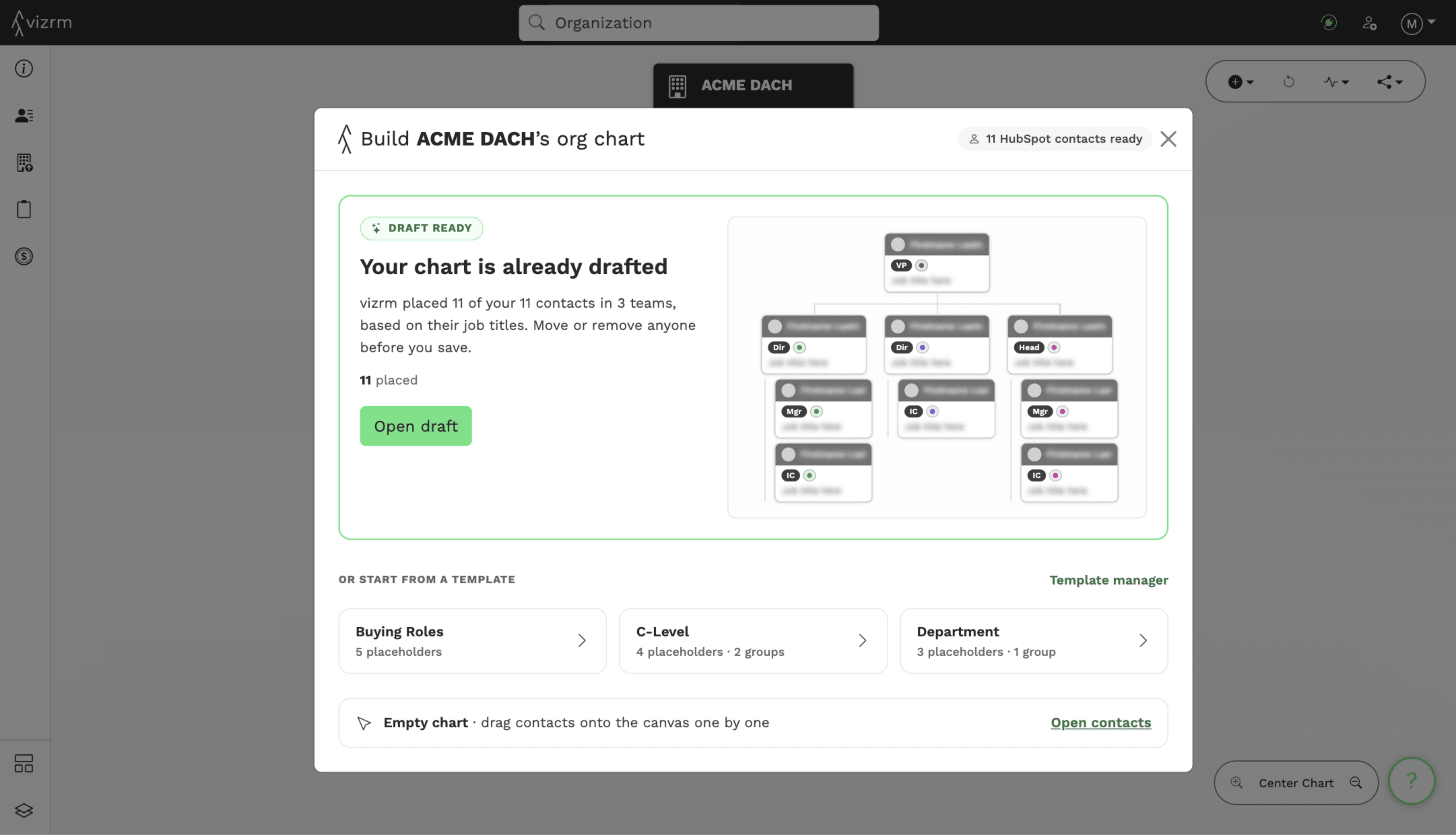
Open an organization whose chart is still empty. vizrm has already read the job titles and tells you what it could do with them: "vizrm placed 11 of your 11 contacts in 3 teams, based on their job titles." Click Open draft.
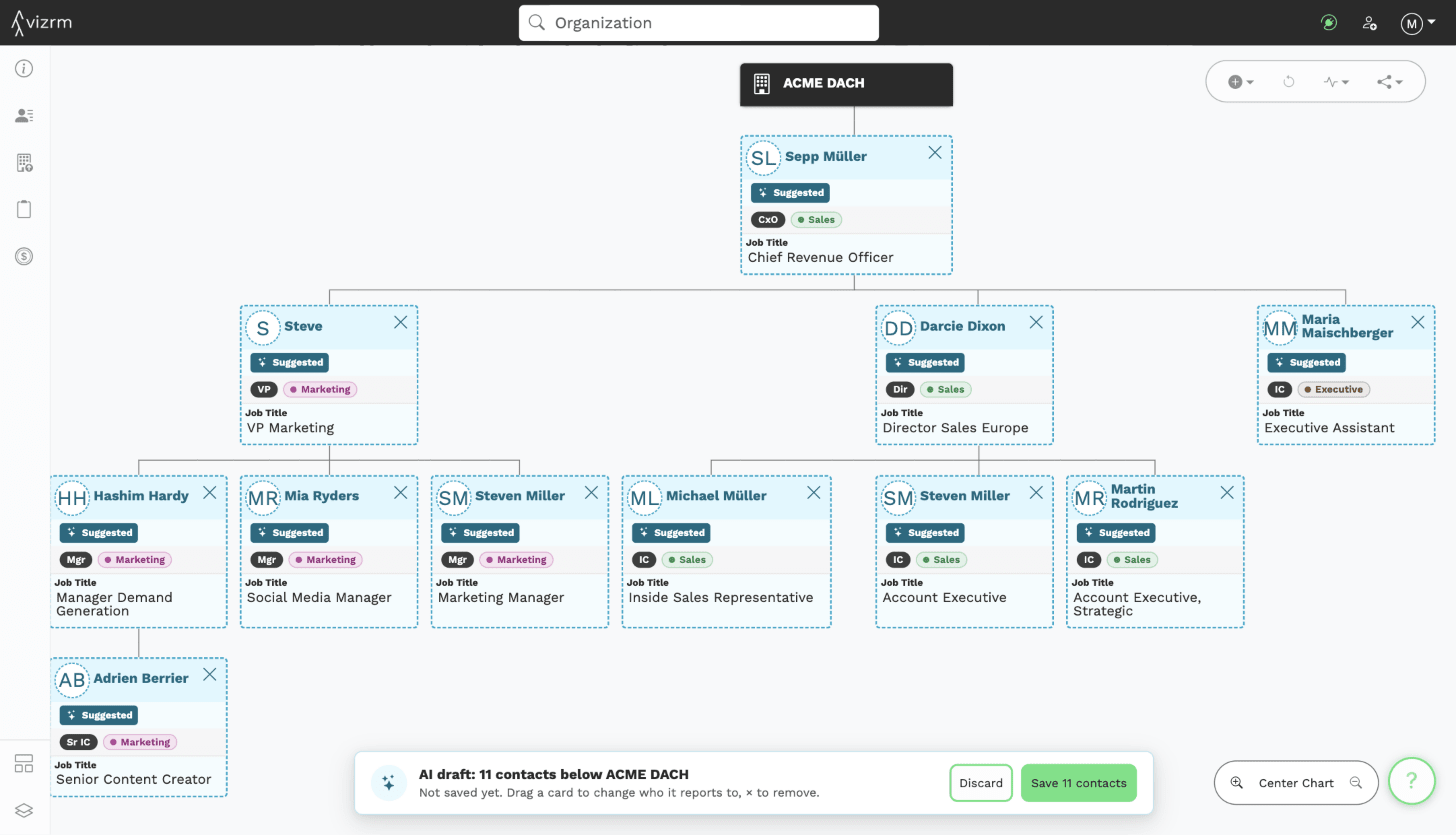
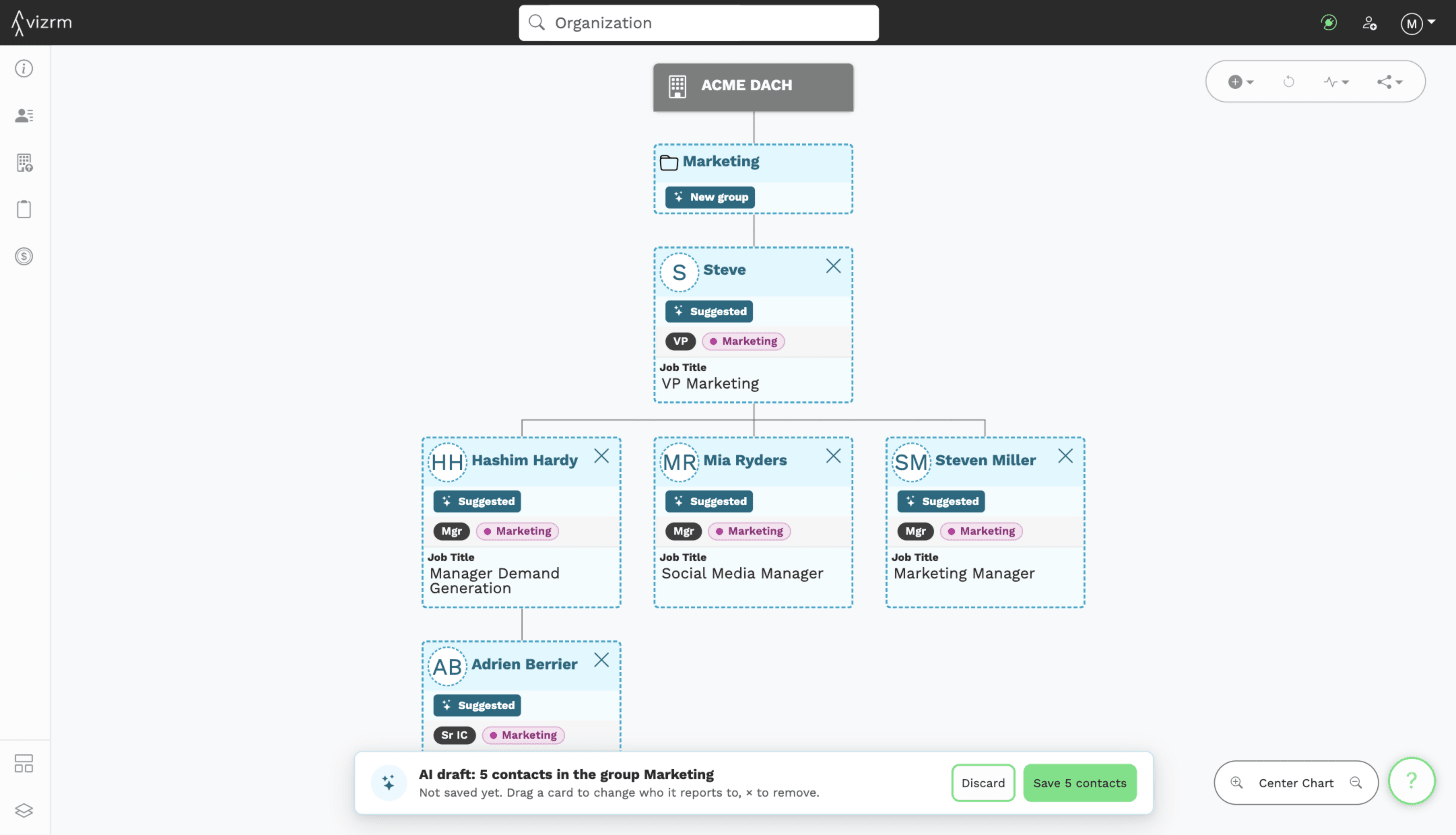
The draft lands on the chart as suggested cards with a dashed border. Drag a card onto someone else if the reporting line is wrong, remove anyone who doesn't belong, then click Save and the chart is automatically updated and visible inside your CRM!
How it decides
There's no black box here. vizrm gives every contact two labels from their job title: a seniority (C-Level down to Individual Contributor) and a department (Sales, Marketing, Finance and so on). The draft follows a few plain rules:
- The most senior people go to the top, side by side. A CEO and a CFO end up next to each other, because titles alone don't say who reports to whom.
- Everyone else reports to the closest more senior manager in their own department. A Sales Manager goes under the Sales Director, not the VP Marketing.
- Only Manager level and above get people placed under them.
The draft does the copying in a few seconds, and you only spend your time on the parts that need judgement.
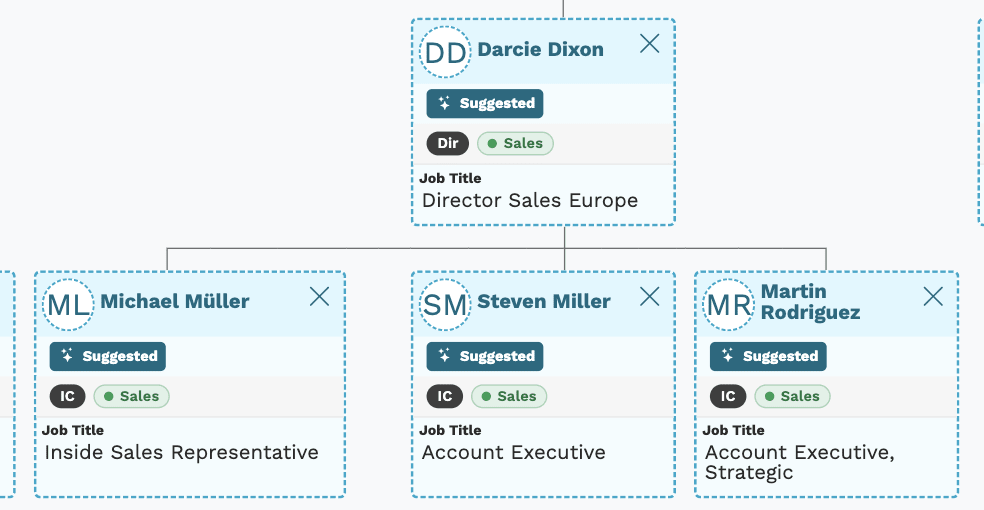
You can even use the labels to filter and sort your contact list by them: "Show me everyone in Finance, most senior first" is now two clicks.
Bigger accounts: team by team with Place with AI
A draft handles up to 15 people at once - for a bigger account, or one you've already started by hand, go team by team:
Open the contact list, filter by Department, and click Place with AI. vizrm can drop the team below the company, or create a group named after the department with its most senior people as the leads.
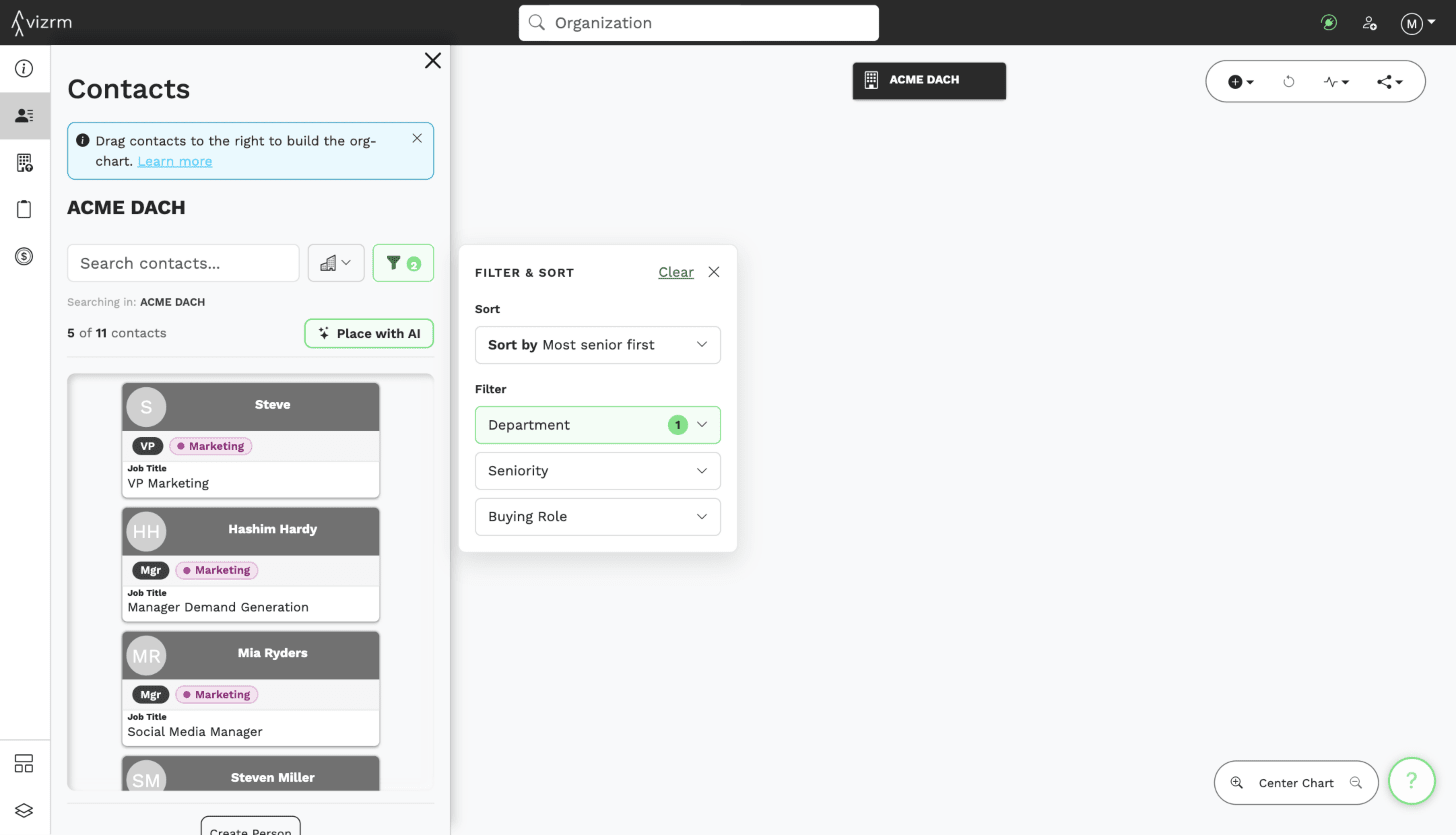
Same as before: you get a draft, you check it, you save it.
What happens to your data
Only the job title text is sent to the AI. No names, no email addresses, no company names, no deal data. Titles are checked for personal data before they leave vizrm, and anything that looks like a name or an email is held back. Classification runs on Microsoft Azure OpenAI in the EU and is never used to train a model. The draft itself doesn't touch your CRM: nothing changes until you click Save.
Admins can switch title classification off at any time. The details are in How vizrm's AI Title Classification works in accordance with GDPR.
FullEnrich joins your enrichment tools
Once the chart is built, the next gap is usually contact details. The people you most need to reach are often the ones with an empty email field.
You can now connect FullEnrich next to Apollo, Hunter and Lusha. FullEnrich searches many data sources for each contact. That takes a little longer, usually between 30 seconds and two minutes. So vizrm runs it in the background: click Reveal, keep working, and a notification tells you when the work email or phone number has been saved to the contact in your CRM.
Admins get an activity log of every FullEnrich lookup: who asked, for which contact, and what came back. How to connect it: Set up Enrichment Tools.
Availability
Draft with AI and Place with AI are live for every vizrm customer today, and free on every plan until 31 January 2027. After that they're part of the Professional plan. FullEnrich is available on the Professional plan, like the other enrichment tools.
Open an account you haven't mapped yet and see what the draft makes of it. The full guide is in the help centre: Build your org chart with AI.
New to vizrm? Start a free trial or talk to sales.
Jakob