
Reveal email and phone without leaving your org chart
vizrm's July update connects the enrichment tools you already pay for, so reps can reveal a contact's email and phone right inside the org chart and LinkedIn. Plus a redesigned home dashboard.

You map an account, you spot the stakeholder you've been missing, and then the work stalls. You know who they are. You just can't reach them. Their email isn't in the CRM, their phone number is somewhere in a tool that lives in another tab, and by the time you've copied it across you've lost the thread you were on.
Most teams already pay for an enrichment tool to solve this. The data usually isn't the problem. The problem is that it sits outside the org chart, outside the CRM, and outside the moment you actually need it.
Our July update closes that gap.
Enrichment Tools: bring the providers you already use
vizrm now connects directly to third-party enrichment providers. We're starting with Apollo, Hunter, and Lusha, with more to come based on what you ask for.
This is a bring-your-own-token integration. You connect your own provider accounts, vizrm runs the lookups, and the results write straight into HubSpot or Pipedrive. vizrm is the layer that puts that data where you work. It is not a data vendor, and nothing is stored outside your CRM.
How an admin sets it up
An admin goes to Settings, opens the new Enrichment Tools section, picks a provider, pastes that provider's API token, and clicks Add and validate. vizrm confirms what the token can return, for example email and phone.
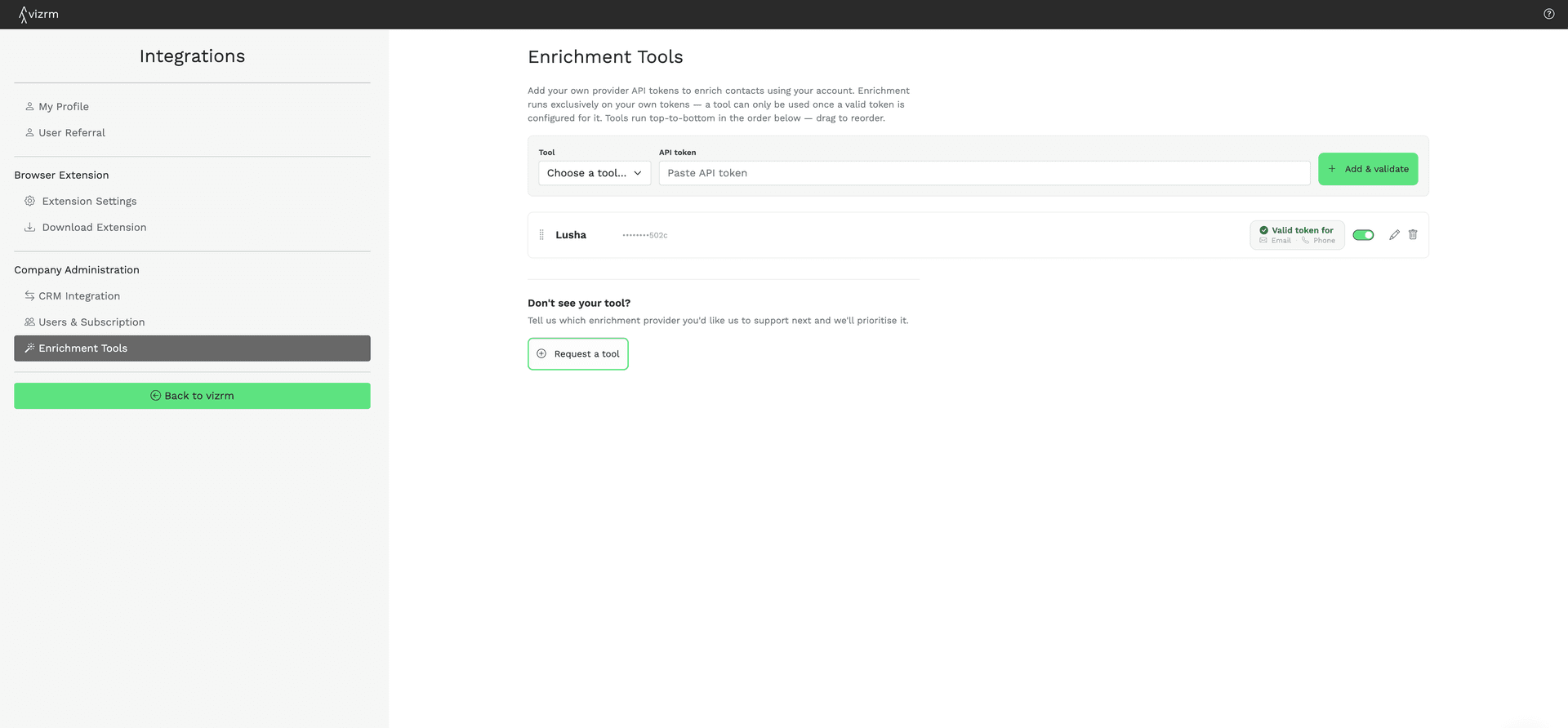
Add more than one provider and you can drag them into the order you want. That order matters: vizrm calls them top to bottom as a waterfall. If the first provider has no result for a contact, the next one tries. You get the coverage of several tools without leaving the chart to check each one.
How a rep uses it
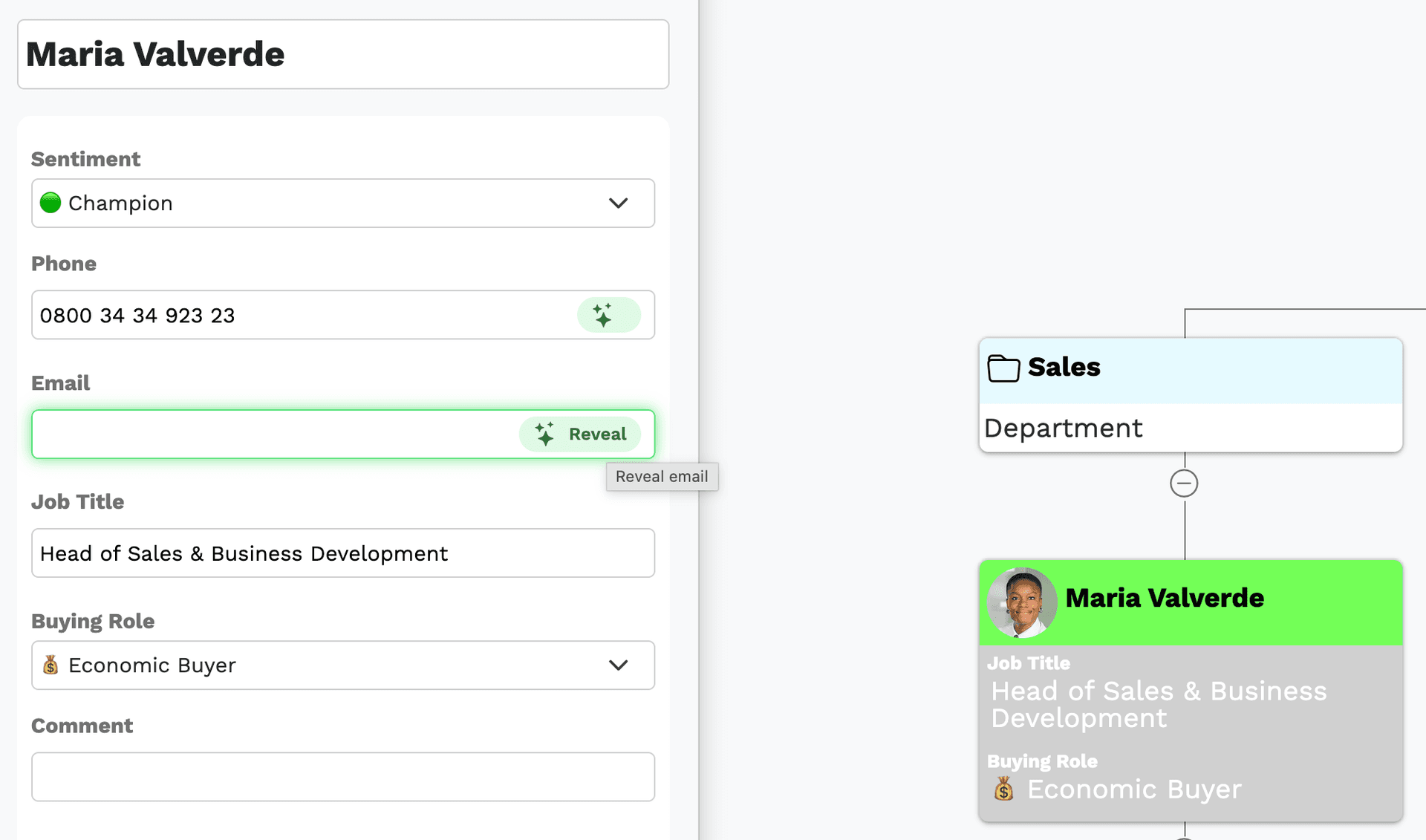
Open a contact on the org chart and you'll see Reveal buttons for email and phone where they're available. One click looks up the value and saves it to the CRM contact record.
The same thing works from LinkedIn. When you're on a profile with the vizrm browser extension, reveal the email and phone in the sidebar and push them to the CRM in the same step you used to add the contact.
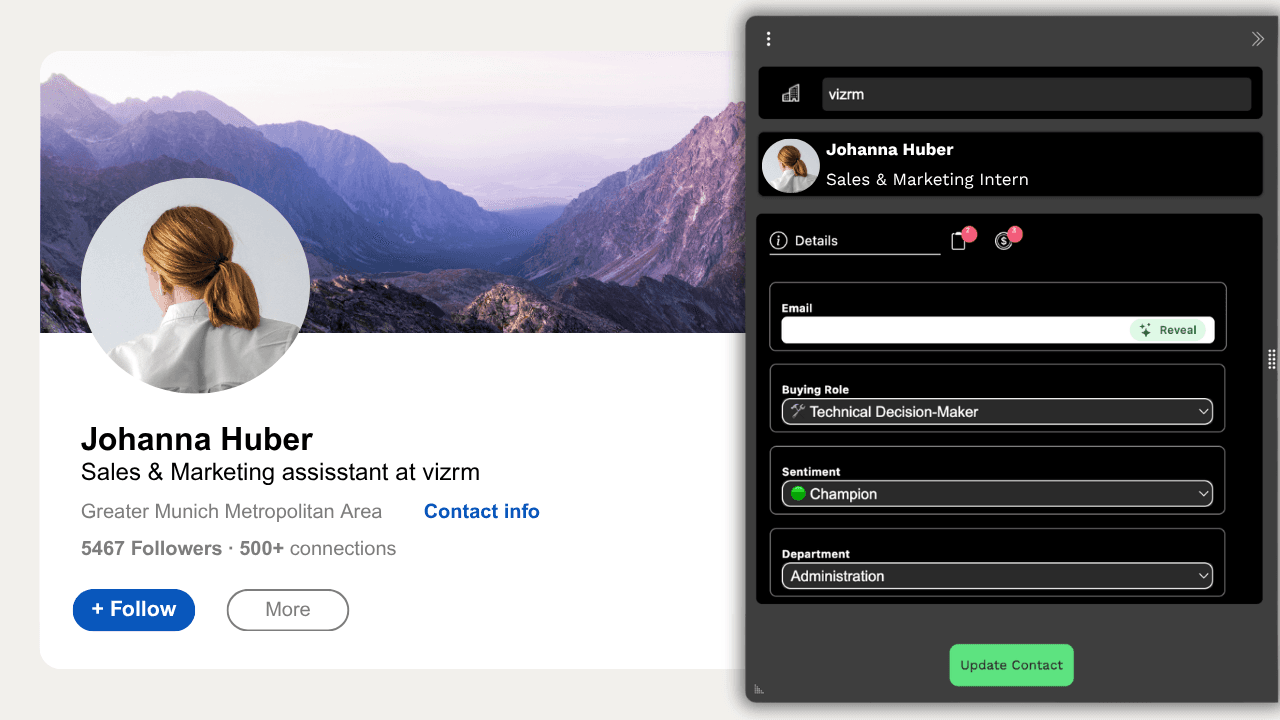
The point is continuity. You find a stakeholder, you reach them, and the CRM is up to date, all in one place.
A cleaner home dashboard
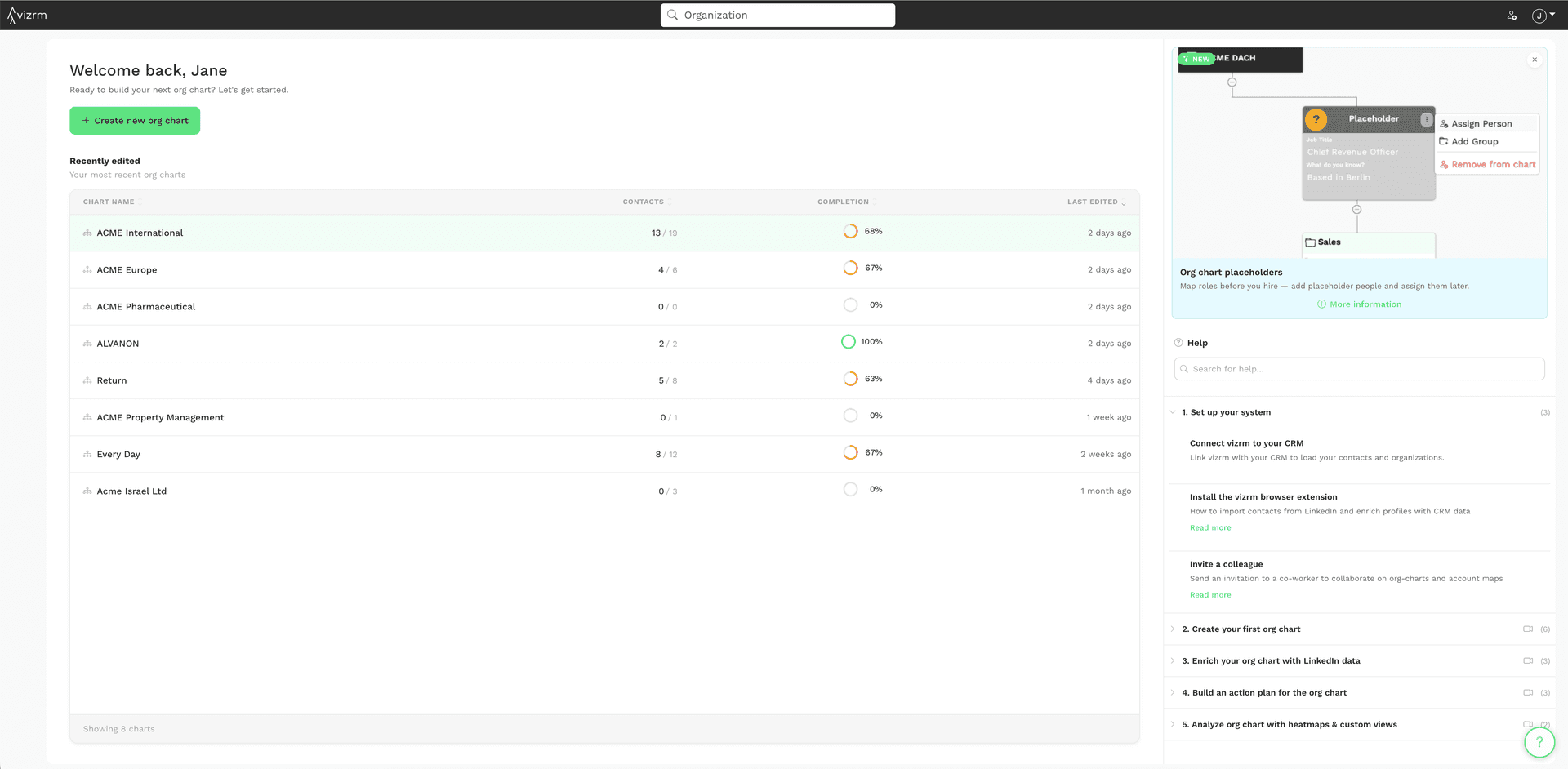
We also redesigned the vizrm home screen. Open the app and you land on a clear table of your recently edited org charts, with contact counts and completion at a glance. Create a new org chart in one click, search any account, or search the help center without leaving vizrm.
Try it
If you already use Apollo, Hunter, or Lusha, you can connect them today and start revealing contacts inside your org charts. If you use a different provider, tell us in the request form in settings and we'll prioritize it.
Jakob