
vizrm release - April 2026
TL;DR
Three features. One goal: less time fighting your tools, more time working your accounts. Global CRM contact search, full activity history, and an in-app help center are live in vizrm today.
Search Smarter, See More, Get Help Faster
3 new features designed to reduce friction and keep enterprise reps focused on the work that matters.
1) Search Contacts Across Your Entire CRM
The problem it solves: When you're working an account in vizrm, the sidebar shows contacts associated with that organization. But enterprise CRMs are messy - contacts get associated to the wrong company, or they're at a parent entity while you're viewing a subsidiary. Until now, if a contact wasn't linked to the account you were viewing, you couldn't use them.
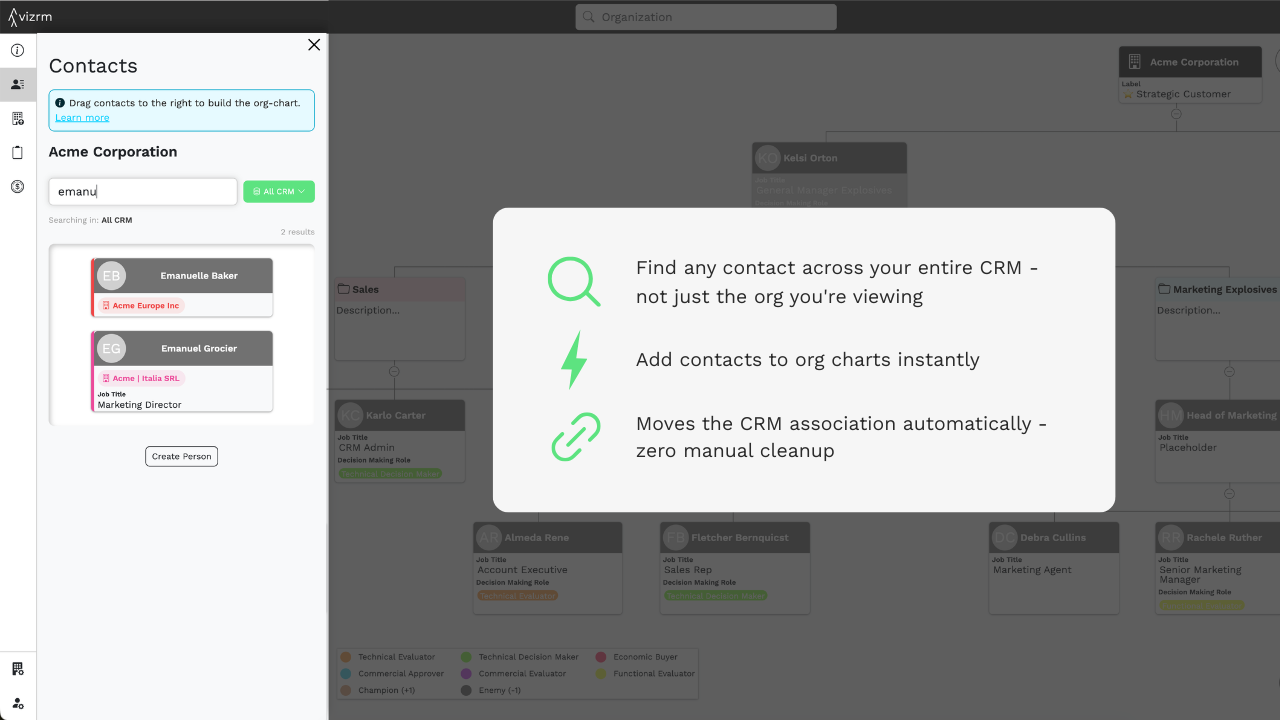
What's new: You can now toggle the contact search to scan your entire CRM, not just the current organization. Search by name, find the right person across all accounts, and drag them directly onto the org chart. vizrm automatically updates the HubSpot association, no manual cleanup required.
Why it matters: This removes one of the most common interruptions in the org charting workflow: the mid-session context switch to HubSpot to fix a contact association. Now it all happens in one place.
2) Activities History in the Sidebar
The problem it solves: The activities panel previously only showed open tasks. That's useful for knowing what's next - but it tells you nothing about what's already happened. Before a call, reps were switching to HubSpot's timeline to piece together account history.
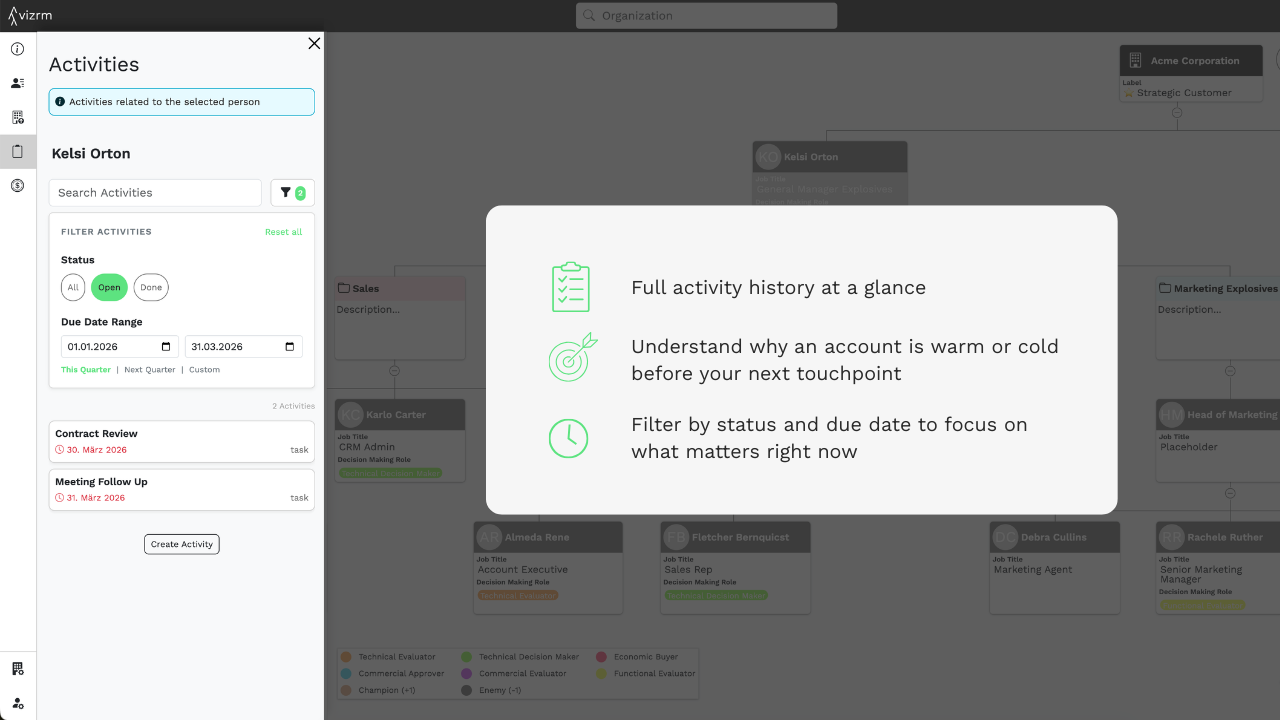
What's new: The activities view now includes both open and completed activities. Filter by status (open/done) and due date. Get the full picture of every touchpoint with every contact in the account - without leaving the vizrm sidebar.
Why it matters: Context is everything in enterprise sales. Knowing that a contact was reached three weeks ago, had a demo last month, and has a pending follow-up this week changes how you show up in a conversation. That context is now one click away.
3) In-App Help Center
The problem it solves: New users and experienced ones exploring features they haven't used yet have had to leave the app to find answers. That friction slows adoption and adds to support load.
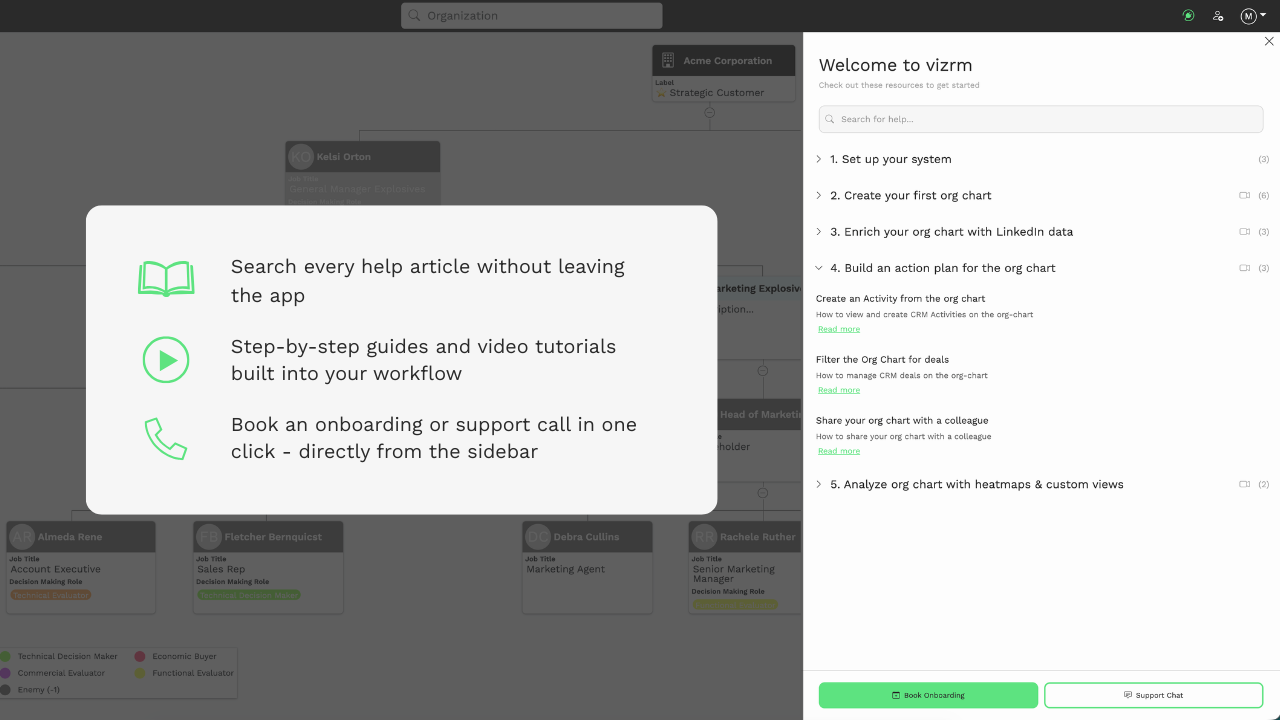
What's new: A fully searchable help center is now built directly into vizrm. Search any topic and get matching articles instantly. Browse step-by-step guided walkthroughs for key workflows. Watch short tutorial videos for a quick visual orientation. And if you need more help, book an onboarding or support call directly from the sidebar - no external links, no tab-switching.
Why it matters: The faster a rep can answer their own question, the faster they build a habit. An in-app help center removes the moment of friction where someone gives up on learning a new workflow and falls back to their old way of working.
As always, feedback drives what we prioritize. If you have thoughts on this release or what you want to see next, reach out to us via the in-app chat.