
vizrm release - February 2026
TL;DR
New Deal Status & Close Date filters - zero in on the opportunities that matter most right now;
Pre-set group color palette - a curated visual language for your account maps;
Contextual group creation - new groups appear exactly where you expect them
Focus on the Deals That Matter This Quarter
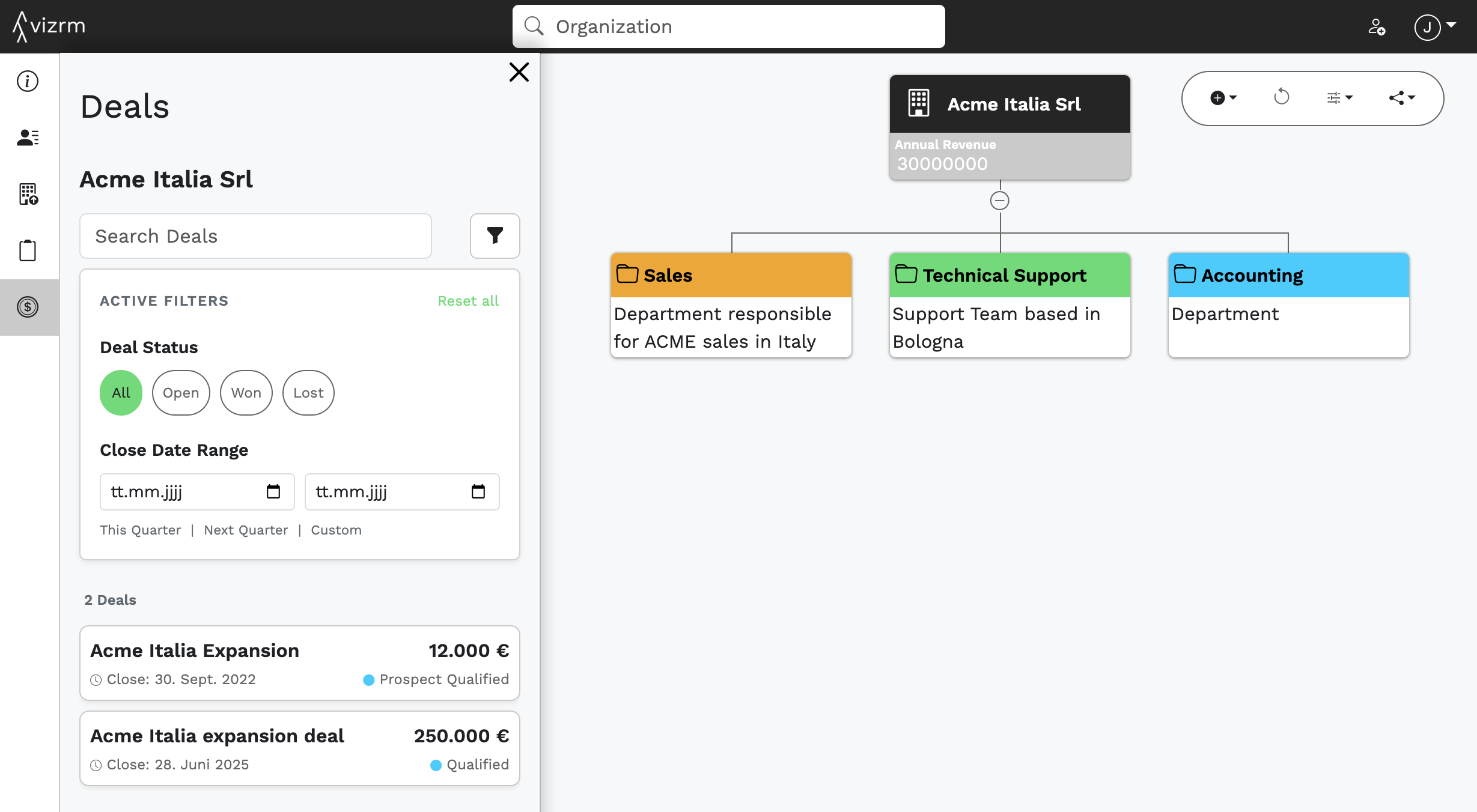
Sales reps working complex accounts often juggle dozens of deals across multiple stakeholders. Finding the right ones for a pipeline review or account planning session used to mean too much manual scrolling — or hopping out of vizrm entirely.
The updated Deals panel fixes that with two new filters:
Deal Status filter: Show only open deals, later-stage opportunities, or a specific funnel stage. Cut the noise and get straight to the conversations that matter.
Close Date Range filter: Pick common timeframes like This Quarter or Next Quarter, or define a custom From/To range.
For Sales Leaders running pipeline reviews, this turns the org chart + deals view into a proper forecasting surface. Instead of sifting through every opportunity, you walk in with a focused, filtered view — no prep work required.
A Visual Language for Your Account Maps
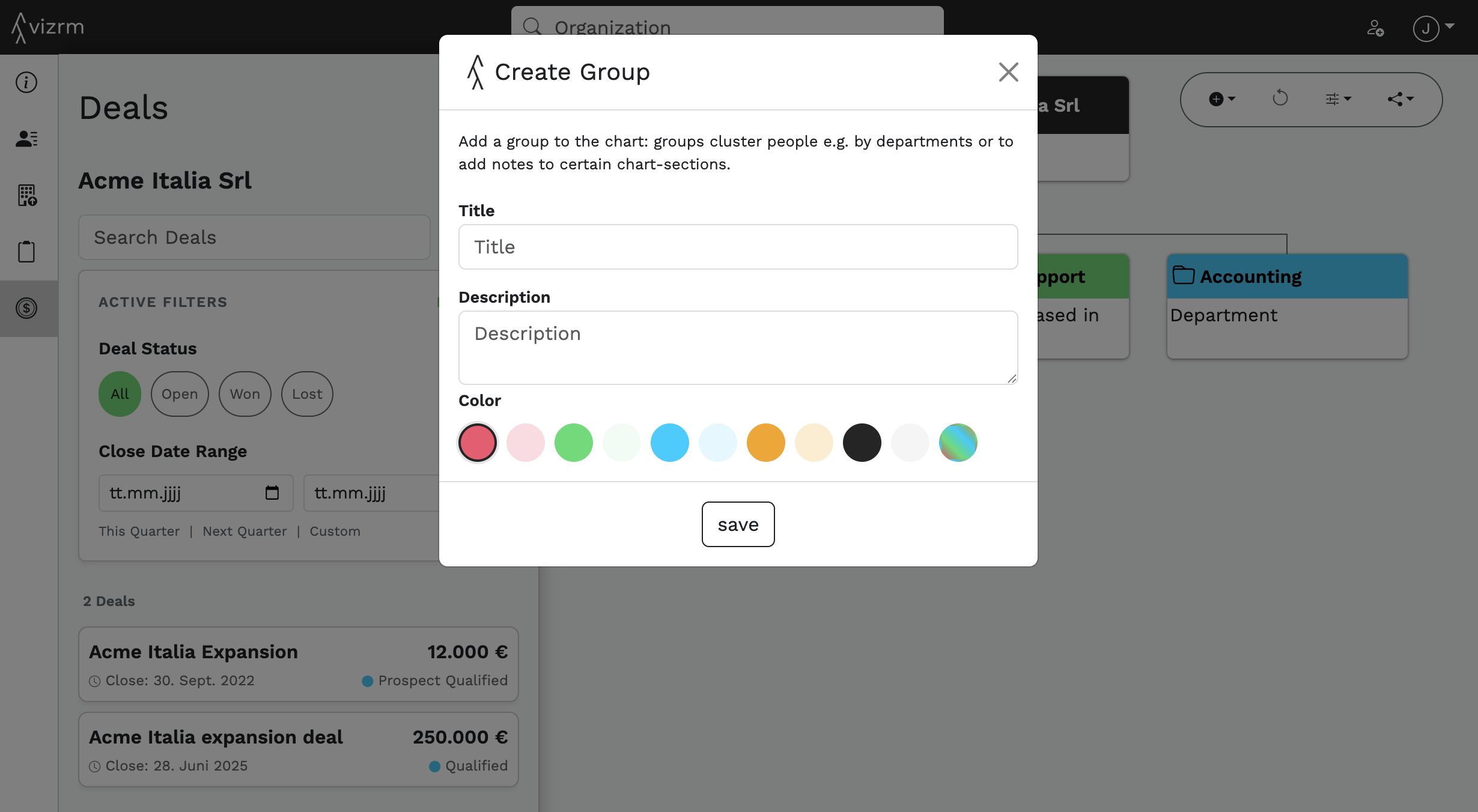
When every group in an org chart uses a slightly different shade of everything, maps become hard to read and even harder to share with a manager or executive sponsor.
We've upgraded the color picker in both Create Group and Edit Group with a curated palette of preset colors to make it easy to use color intentionally.
A few details worth noting:
Existing group colors are preserved — nothing changes unless you choose to update them
Improved text contrast across colored backgrounds makes labels easier to read, especially in shared screenshots or exported views
Groups That Appear Where You Expect Them
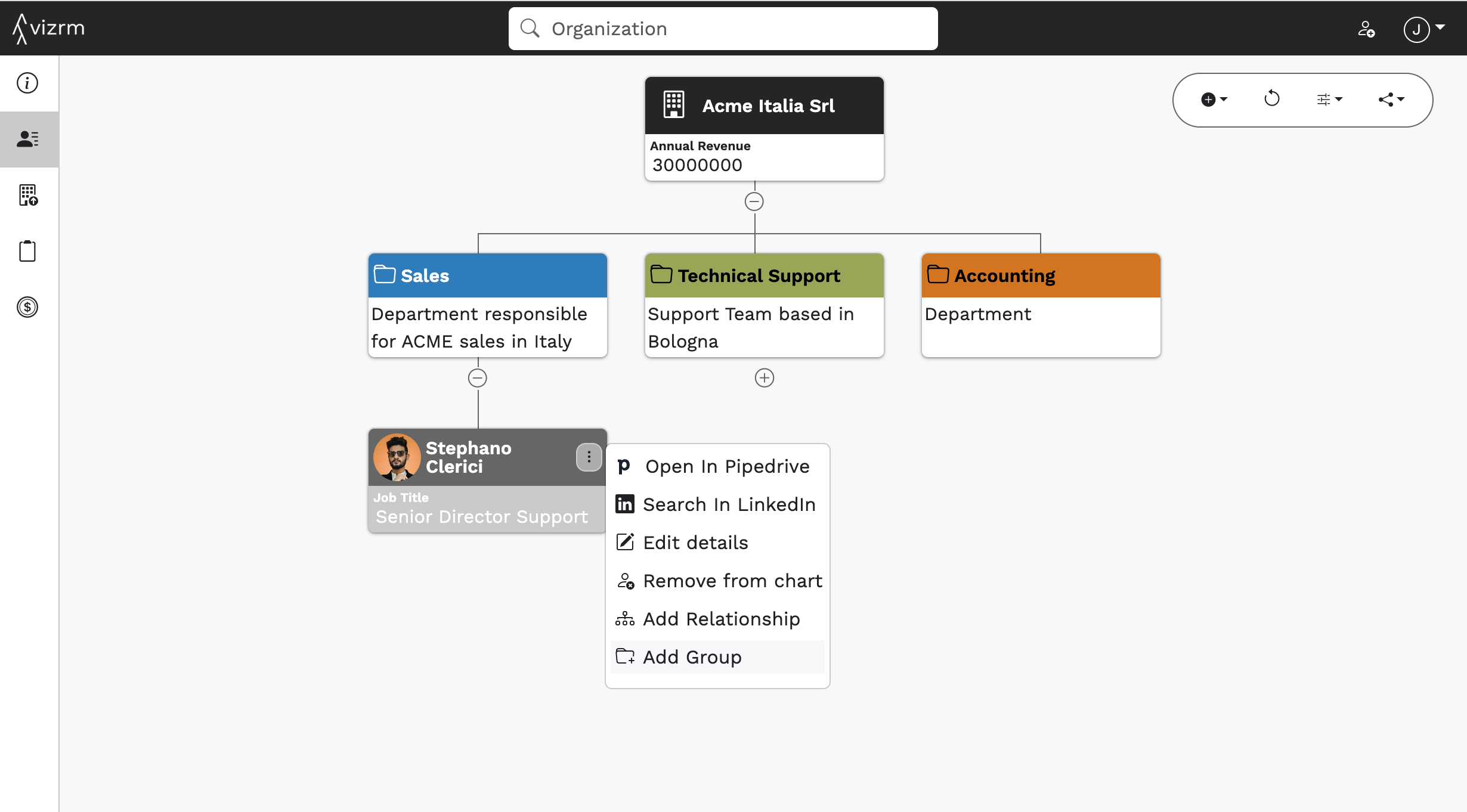
Creating structure in a complex org chart should feel natural in vizrm. Previously, it wasn't always clear where a new group would land, which meant extra rearranging after the fact.
Group creation is now contextual to whatever node you have selected:
Nothing selected, or an organization selected → group appears under the organization
A person selected → group appears under that person
An existing group selected → you can now duplicate this group incl. title, description & color
This is especially useful for Sales Ops teams building standardized account map templates - the org chart structures itself logically as you work, with far less cleanup required.