
vizrm release - May 2026
Introducing Placeholders:
Map Your Buying Committee, Even Before You Know Everyone In It
In enterprise sales, the org chart is never complete.
You might have your champion mapped. A few end users. Maybe the Economic Buyer. But there's almost always someone missing — a title that came up in a call, a role your champion mentioned but won't introduce you to yet, a VP who's going to be in the final decision meeting but hasn't appeared anywhere in your CRM.
Most sales teams handle this with sticky notes, CRM comments, or a vague mental note to "find out who the CRO is." It works until it doesn't.
Now, vizrm solves this with Placeholders.
What's a Placeholder?
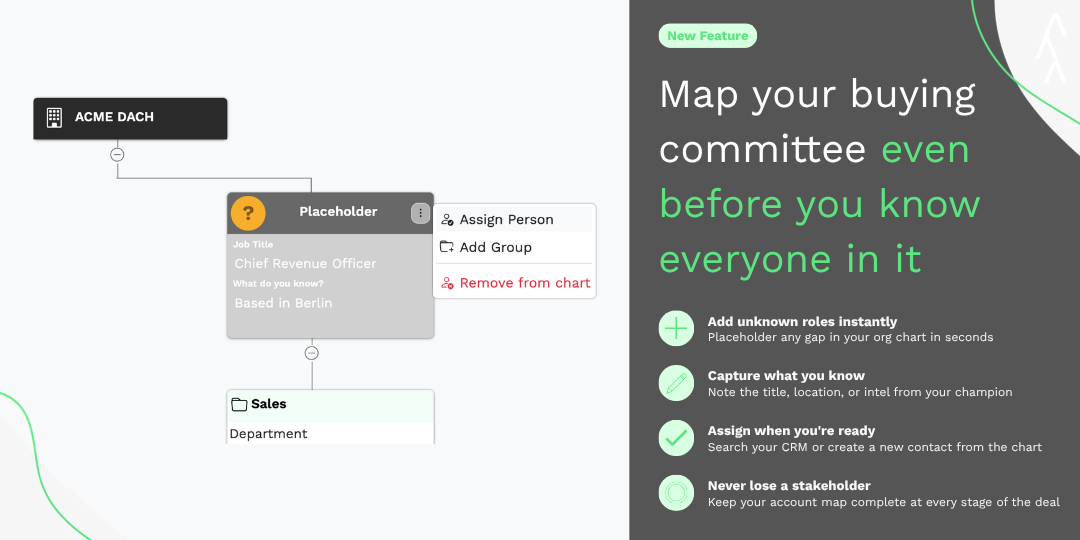
A Placeholder is a node on your org chart that holds a position for a person you haven't identified yet. It has a role, it has a spot in your hierarchy, and it sits right there in your account map — a visible reminder that there's a gap to close.
You can add notes to it: "Based in Berlin." "Mentioned by Hashim." "Signs all contracts over €50k." Anything that helps you or your team track down the real person.
And when you find them? One click to assign. The placeholder becomes a real contact — pulled from your CRM or created directly from the chart.
The problem it solves: The activities panel previously only showed open tasks. That's useful for knowing what's next - but it tells you nothing about what's already happened. Before a call, reps were switching to HubSpot's timeline to piece together account history.
What's new: The activities view now includes both open and completed activities. Filter by status (open/done) and due date. Get the full picture of every touchpoint with every contact in the account - without leaving the vizrm sidebar.
Why it matters: Context is everything in enterprise sales. Knowing that a contact was reached three weeks ago, had a demo last month, and has a pending follow-up this week changes how you show up in a conversation. That context is now one click away.
Why This Matters for Multi-Threading
The biggest risk in complex deals isn't an objection you can't handle. It's the stakeholder you didn't know existed until it was too late.
Deals stall because:
A new VP joined and your champion didn't mention them
Legal or Procurement has a seat at the table that never showed up in any call
The Economic Buyer is three levels above your contact and you've never mapped the path to them
Placeholders force the question: Who is still missing from this chart?
That question — asked early, asked regularly — is one of the most valuable habits in complex account management.
How It Works
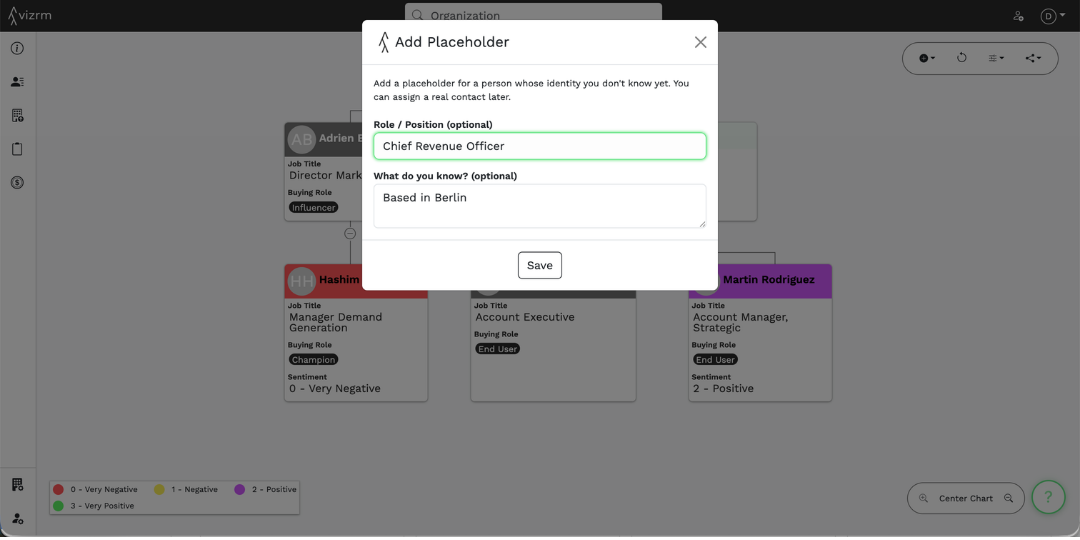
Step 1 — Add a Placeholder From any node on your org chart (an organization or a contact), open the menu and select "Add Placeholder." Give it a role and any notes you have. Save.
Step 2 — Position It The placeholder appears in your chart. Drag and drop it into the right spot in the hierarchy — above your champion, beside a group, wherever the role belongs.
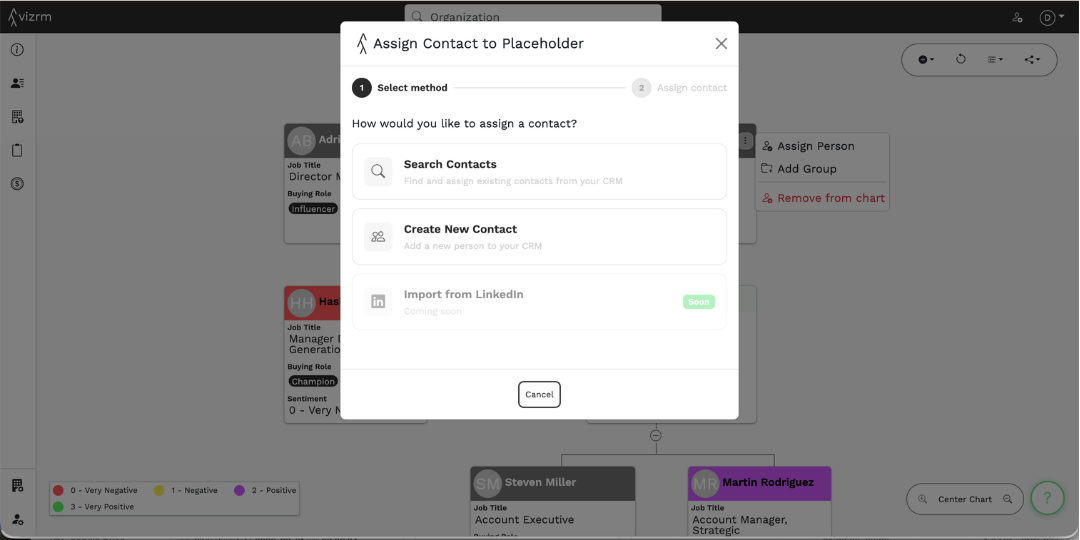
Step 3 — Assign When Ready Once you have a name, open the placeholder menu and select "Assign Person." You can search your existing CRM contacts — vizrm surfaces the people already linked to that account first — or create a brand-new contact with their details right from the chart. The placeholder is replaced, the contact lands in your CRM, and your org chart is one step closer to being complete.
What's Coming Next
We're adding a third assignment method: Import from LinkedIn. When it launches, you'll be able to assign a placeholder by finding someone on LinkedIn and pulling their details directly into your CRM and org chart in one step. It's in the works.
As always, feedback drives what we prioritize. If you have thoughts on this release or what you want to see next, reach out to us via the in-app chat.